West Virginia School of Osteopathic Medicine
Email Encryption
WVSOM utilizes automatic email encryption to external email addresses whenever the message subject or body contains either the phrase "WVSOMencrypt" or a number fitting the pattern of a social security number. The receiving party will receive instructions on how to view the message, this can be done one of two ways, the recipient signs in to a Microsoft Account or uses a one-time randomly generated passcode that Microsoft will send in another email.
Viewing an Encrypted Message
The following pictures show the steps the recipient will go through in order to view their encrypted message:
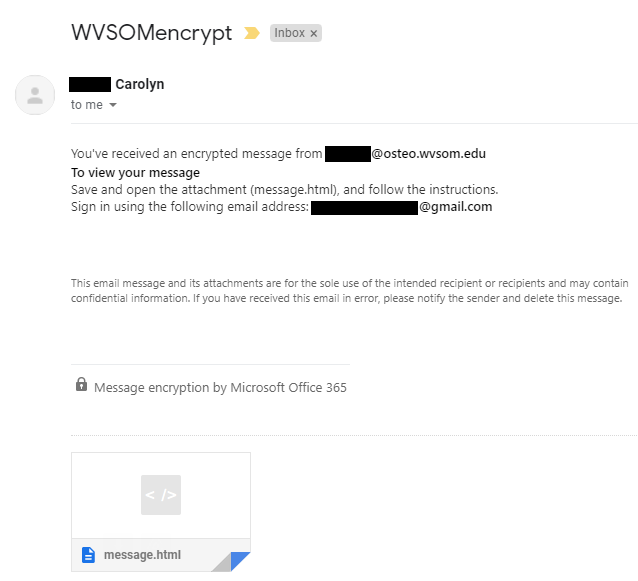
- The recipient will receive this message in their inbox where they will have to download and open the message
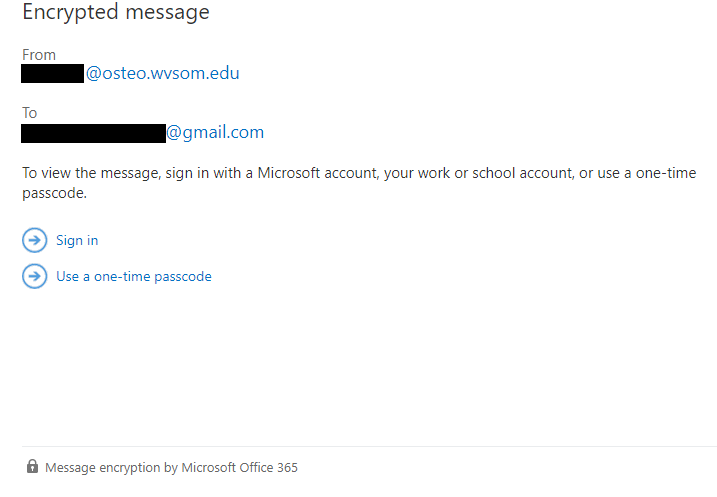
- When the recipient opens the message, they will be directed to this webpage giving them the option to sign in with a Microsoft Account or use a one-time passcode.
- If the recipient chooses to use the one-time passcode, it will be emailed to them in a separate email.
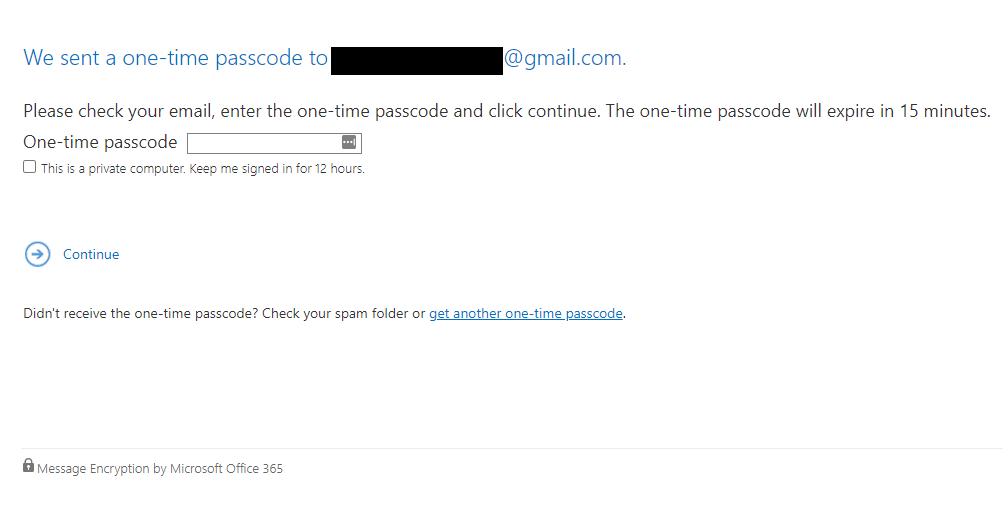
This passcode will need to be entered on this webpage in order to view the message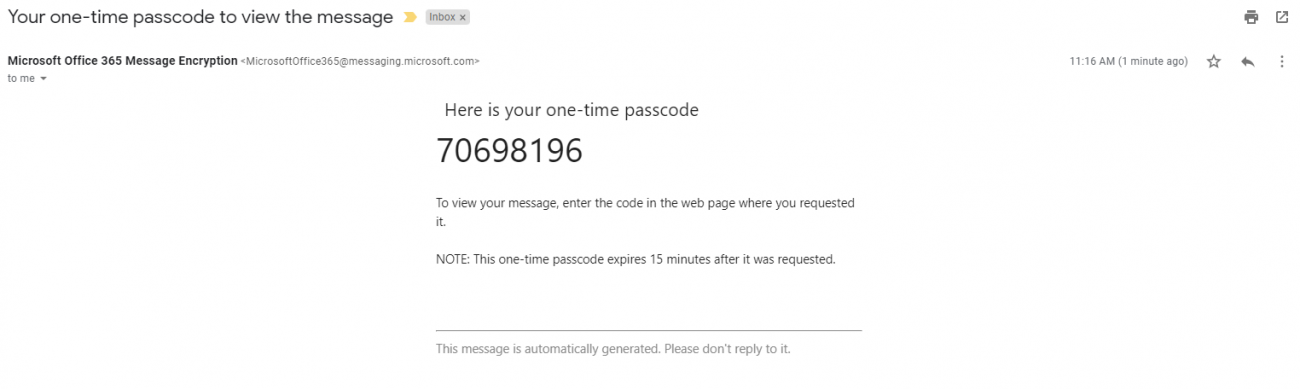
- The alternative is to simply sign in with a Microsoft Account which can be created with any email address at no cost to the user.
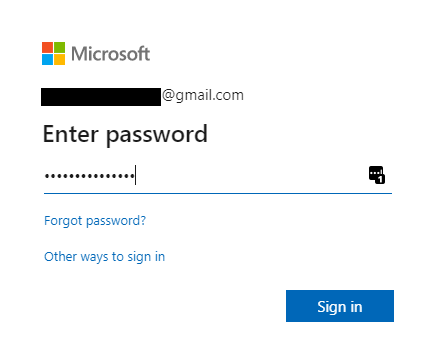
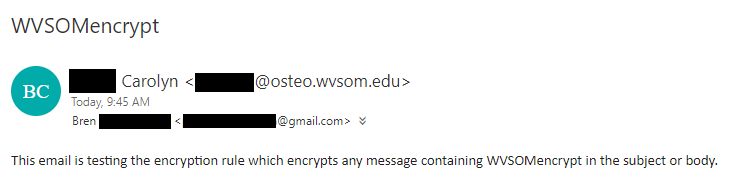
- Once the recipient signs in to their Microsoft Account or inputs the one-time pass code, their message will be displayed.
If you have any questions or concerns, please do not hesitate to contact the Information Technology Department