West Virginia School of Osteopathic Medicine
Disabling Surface Book Rear Cameras
Surface Book 3 Instructions Surface Book 2 Instructions
Surface Book 3 Instructions for Disabling Rear Camera
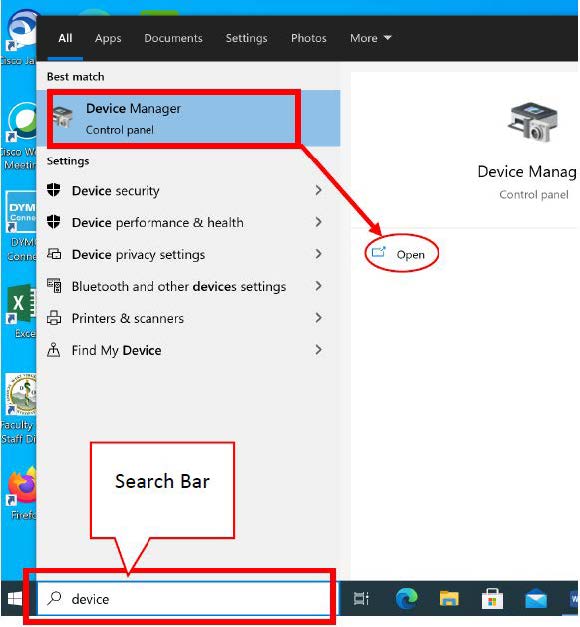
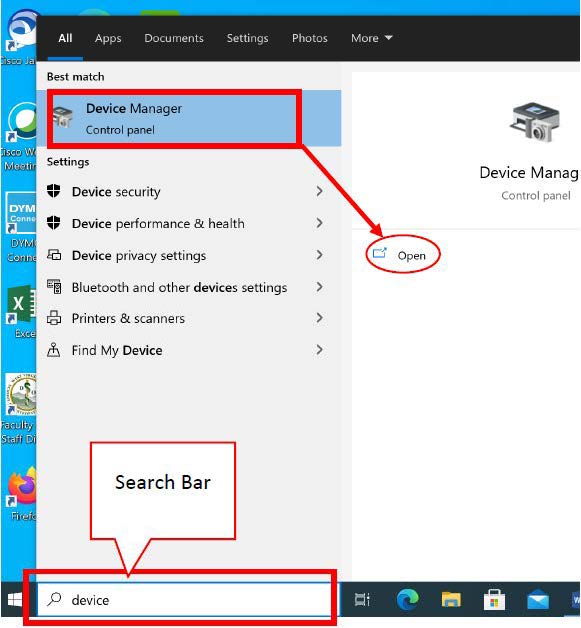
Search for and Open Device Manager.
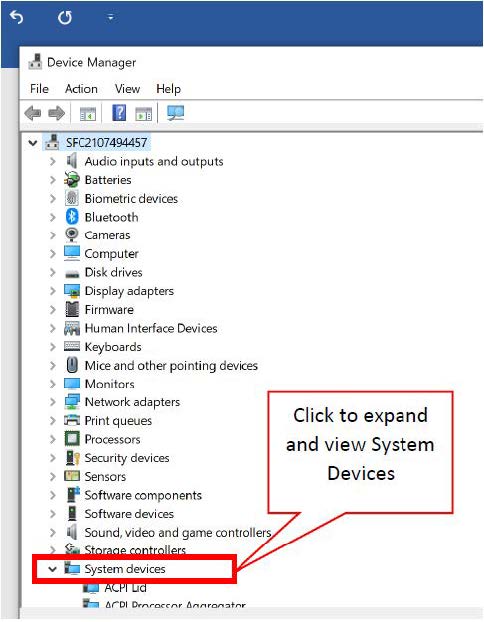
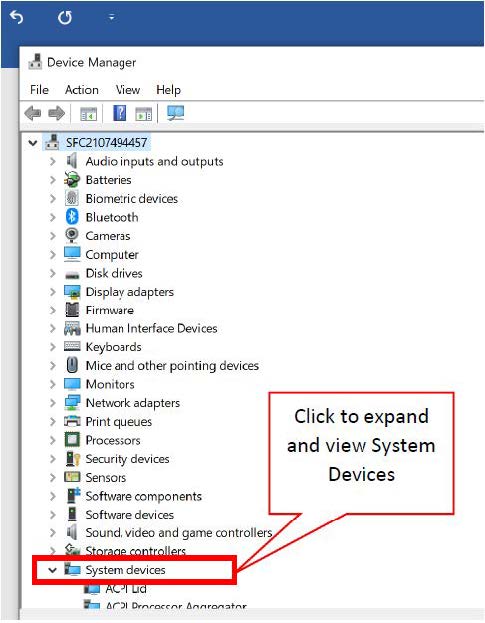
Find and expand System Devices.
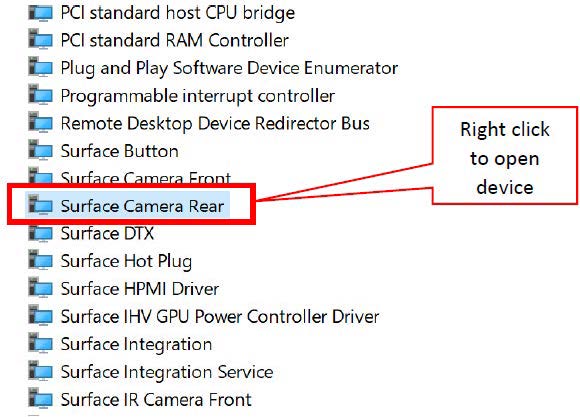
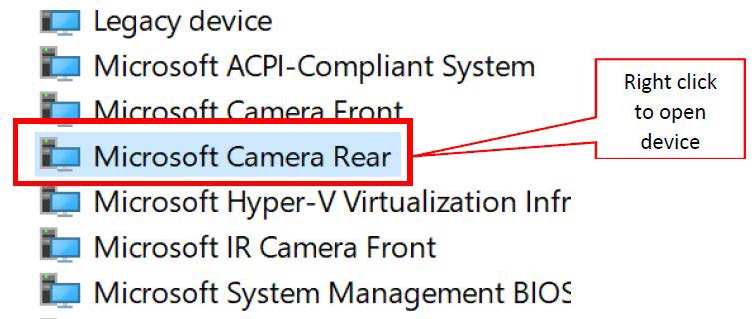
Locate the Microsoft Camera Rear in the list (devices are alphabetical), then click right.
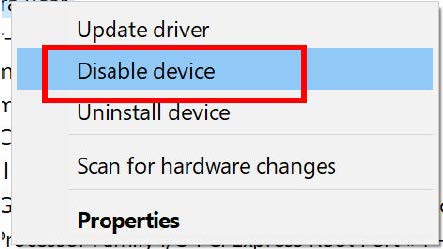
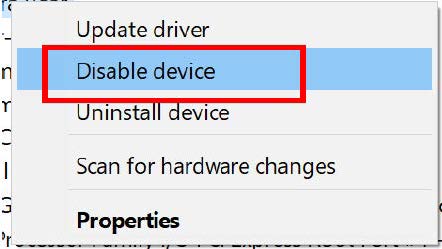
Select Disable Device.
Surface Book 2 Instructions for Disabling Rear Camera
Search for and Open Device Manager.
Find and expand System Devices.
Locate the Microsoft Camera Rear in the list (devices are alphabetical), then click right.
Select Disable Device.